 Lettercast
Your newsletters,
as a morning edition.
Lettercast gathers the newsletters scattered across your inbox into one daily edition. Listen on your commute like the radio, or skim the summaries when you're busy.
iPhone · iOS 18 or later · Free
You keep subscribing.
How many did you actually read?
Buried in the Promotions tab, saved for later, then marked all as read. Lettercast makes your newsletters worth opening again.
Gathered
Only your subscriptions, in one edition per day
Listened to
Played in order, like the radio, when your hands are busy
Summarized
A one-line summary and key points when you're short on time
The easiest way to get through
a day of newsletters
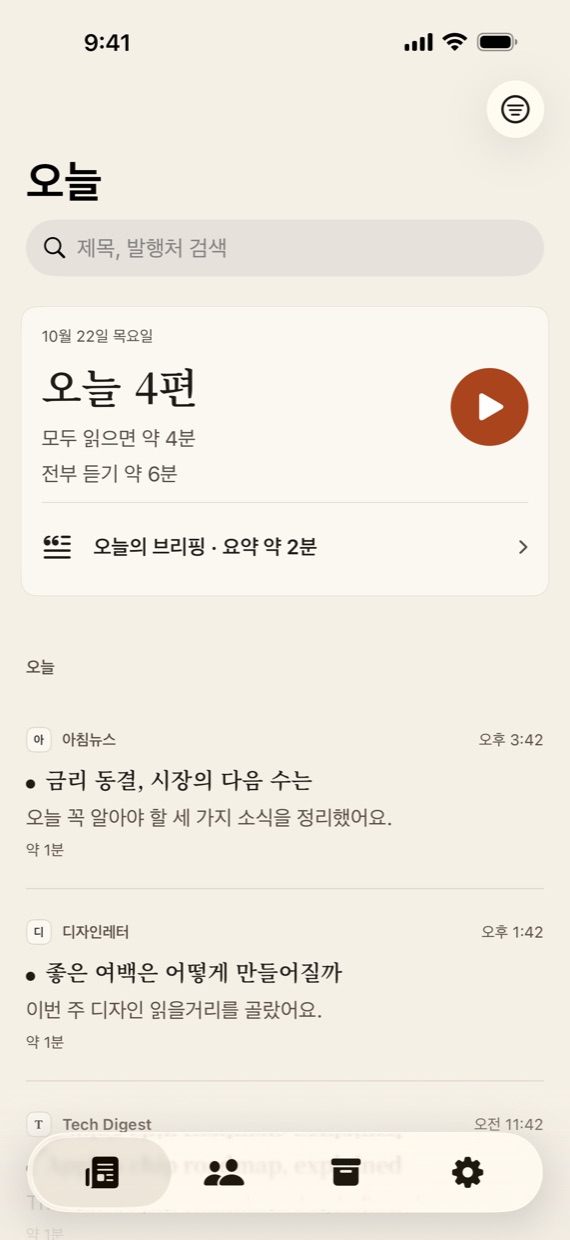
A fresh paper every morning
See how many newsletters arrived today and how long they take to read or to listen to. Finish them all and the edition is done.
- Finds the newsletters you subscribe to when you connect
- Collects only the publishers you check — personal mail is left alone
- Read, save, or hide with a swipe
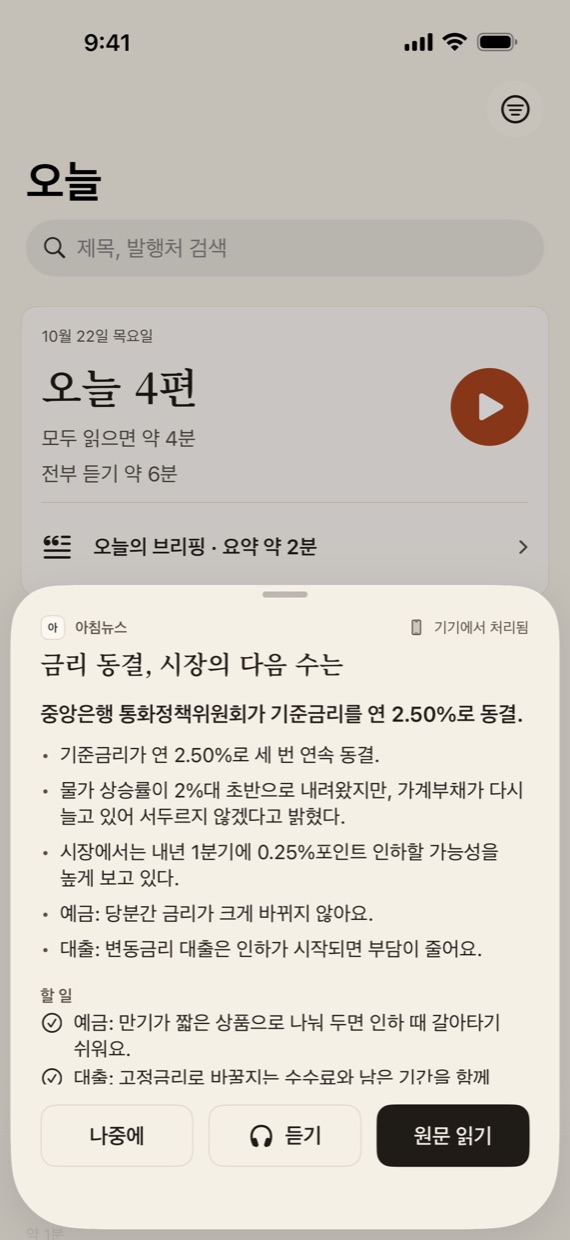
Start with the summary
Open a newsletter and see a one-line summary and key points first, with to-dos and important links pulled out.
- Made on your iPhone with Apple Intelligence
- Today's Briefing: every newsletter from today, summarized
- Shows how much time the summary saved you
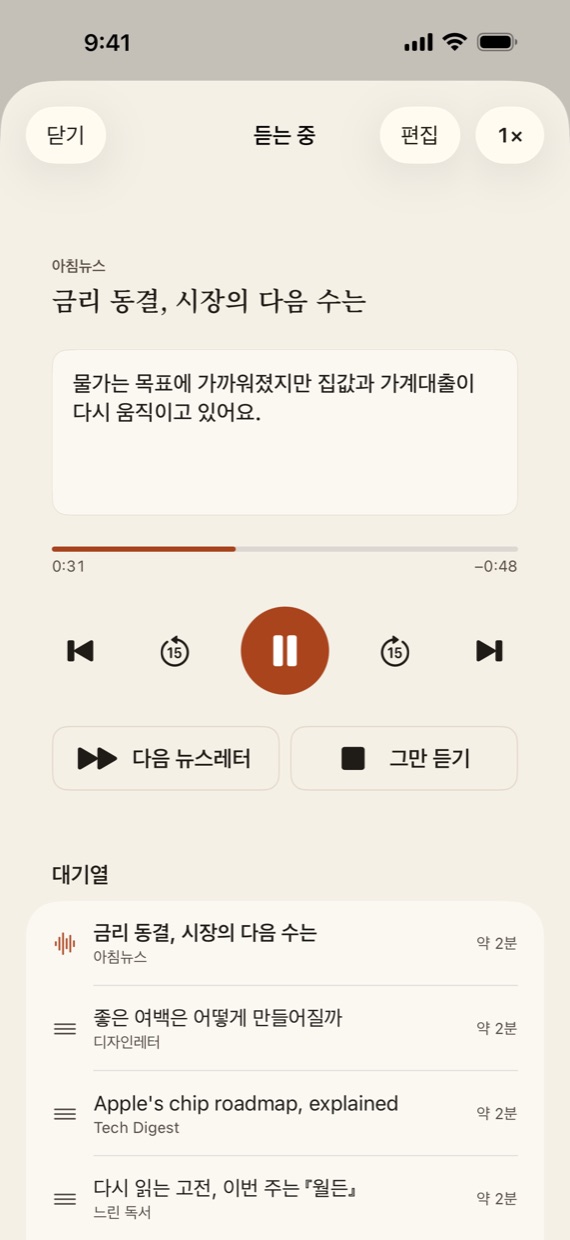
Your commute, like the radio
One tap reads today's newsletters aloud, in order. It keeps going with the screen off or in other apps.
- Pause, skip 15 seconds, or jump to the next from the Lock Screen
- 0.75× to 2× speed, and pick up where you left off
- In reader mode, follow the sentence being read
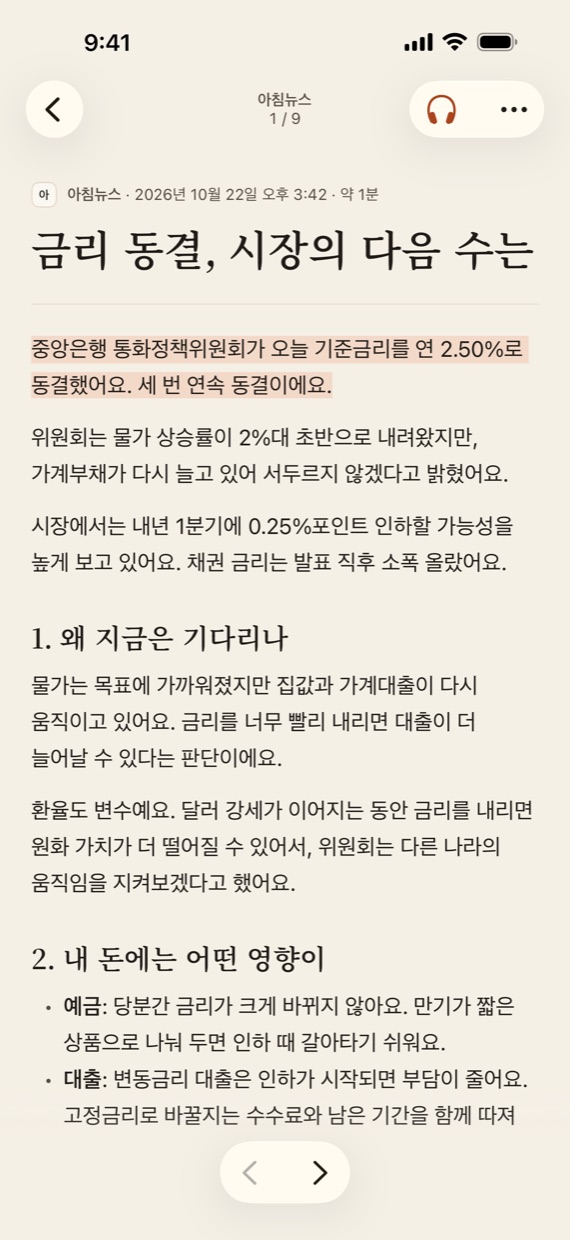
Just the words
Strip away cluttered email layouts and read the text in a clean font and comfortable spacing — or switch back to the original anytime.
- Adjust text size and line spacing
- Highlight sentences and add notes
- Tracking pixels that report opens are blocked by default
Tidy up your subscriptions
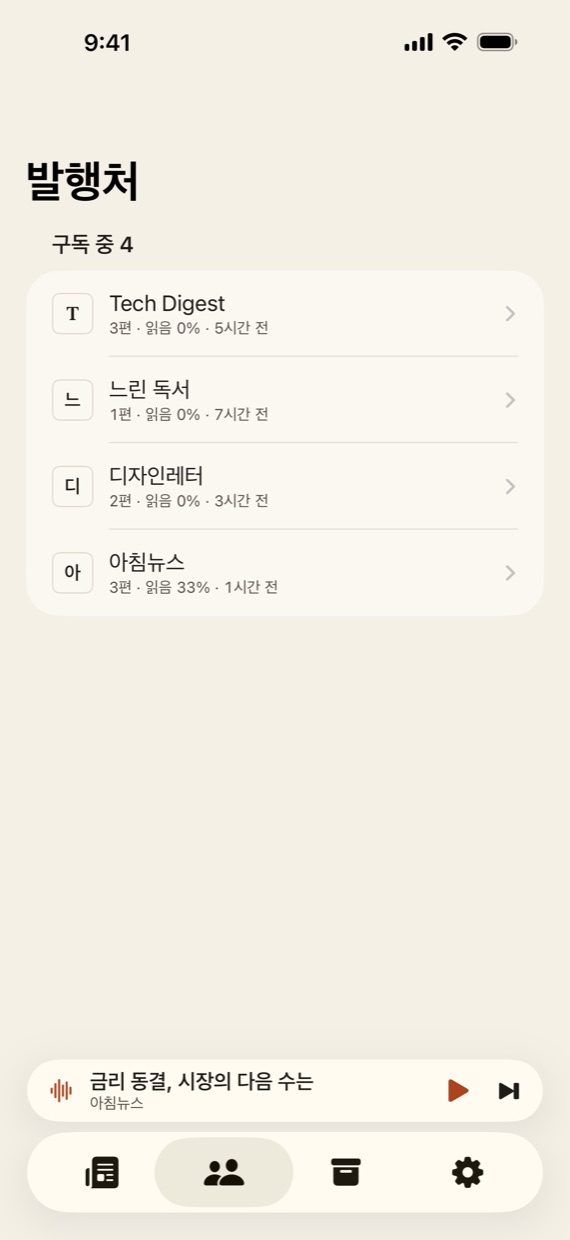
See how much you get and how much you read from each publisher. Lettercast points out the ones you've stopped reading, and you can unsubscribe right in the app.
- New subscriptions are flagged as new publishers
- Exclude mail that isn't a newsletter
- Supports one-click unsubscribe
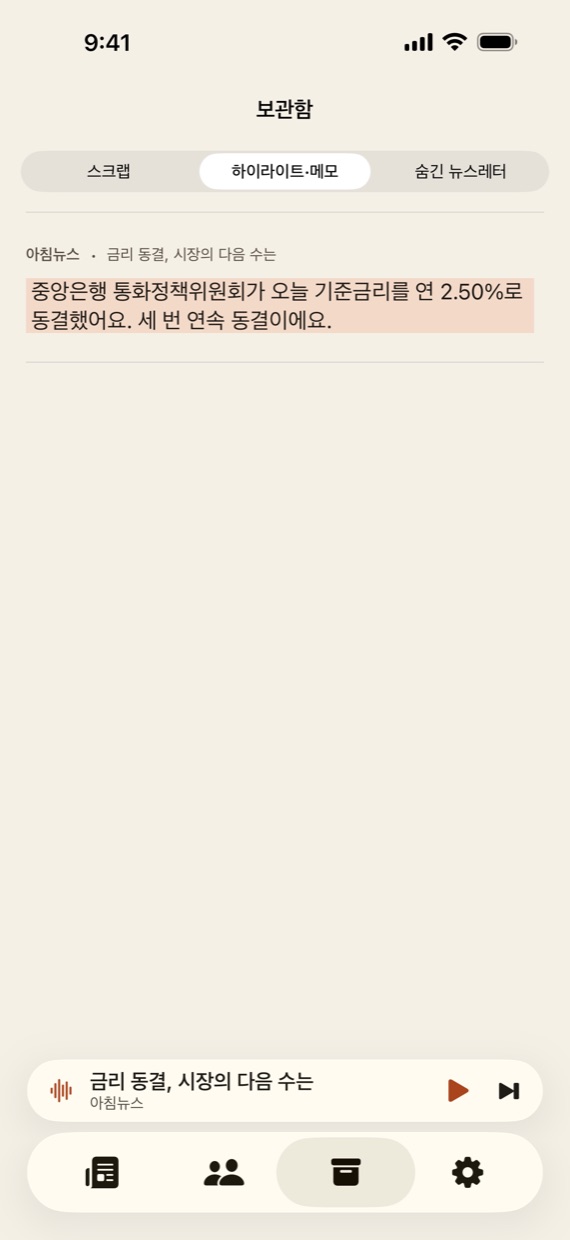
The lines you loved, kept
Highlights, notes, and saved newsletters live in your Archive, so the best sentences from past issues are easy to find again.
- Tap a highlight to jump back to where it was
- Save newsletters you want to reread
- Restore hidden newsletters anytime
A day with Lettercast
On the subway
Tap play on today's edition and put in your earbuds. The newsletters play one after another.
After lunch
Skim the rest with Today's Briefing. Three minutes is enough.
Before bed
Read one favorite slowly in reader mode, highlighting the lines you like.
Your mail never leaves
this iPhone
Lettercast has no servers. Mail comes from Google straight to your iPhone, and storage, summaries, and speech all happen on device.
No servers
Not even the developer can see your mail. No ads, analytics, or trackers.
On-device AI
Summaries use Apple Intelligence and listening uses iPhone voices. Your mail is never sent to an outside AI.
Read-only access
Gmail is connected read-only. Extra access is requested only if you turn on label organizing, and mail is never deleted or sent.
Lettercast's use and transfer to any other app of information received from Google APIs will adhere to the Google API Services User Data Policy, including the Limited Use requirements.
Up and running in a minute
Connect Gmail
Sign in with Google and allow read access to your mail.
Confirm subscriptions
Review the newsletters found in recent mail and check the ones to collect.
Today's edition
From now on, new newsletters arrive as today's edition.
Get your first edition tomorrow morning
Lettercast is getting ready for the App Store.
Requires an iPhone with iOS 18 or later and a Gmail account. Summaries are available on iPhone models that support Apple Intelligence, with iOS 26 or later. Gmail is a trademark of Google LLC. Lettercast is not affiliated with Google. Newsletters shown are fictional examples.